

Download Sorenson Squeeze – Fast, Secure Video Compression for Web, Mobile & Social Media
Overview: Why Sorenson Squeeze Still Matters in 2025
When you need to upload a high‑resolution video to the web, the size of the file can quickly become a bottleneck. Bandwidth limits, storage costs, and platform‑specific requirements all add friction to an otherwise simple task. Sorenson Squeeze tackles these challenges head‑on by delivering ultra‑high compression without sacrificing visual quality. The software supports QuickTime, MPEG‑4, and Flash containers, making it a versatile tool for creators who publish to YouTube, Facebook, Twitter, or even niche devices like the PSP or iPhone. What sets Sorenson Squeeze apart from generic encoders is its massive library of presets—hundreds of device‑specific and platform‑specific profiles that automate bitrate, framerate, and codec decisions. This means you can drop a raw 4K clip into the interface, drag the appropriate preset into the job queue, and let the engine do the heavy lifting.
Beyond raw compression, the latest Squeeze 6 version adds workflow‑friendly features such as automated email/SMS notifications, secure password‑protected review links, and one‑click publishing to the Sorenson 360 CDN, YouTube, Akamai, Limelight, and more. The redesign of the user interface gives the app an iMovie‑like feel—clean, intuitive, and ready for drag‑and‑drop editing. While the software shines in speed, flexibility, and integration, it does have a few rough edges: limited built‑in help, occasional unresponsive support, and a post‑preview tweaking process that could be clearer. Nonetheless, for professionals who need a reliable, end‑to‑end solution for encoding, reviewing, and delivering video, Sorenson Squeeze remains a compelling choice.
Key Features & Powerful Capabilities
- Hundreds of Presets: From iPhone, Android, and iPad to PSP, DVD, and web streaming, each preset is pre‑tuned for optimal bitrate, resolution, and codec.
- One‑Click Publishing: Directly upload encoded files to YouTube, Facebook, Twitter, Akamai, Limelight, Sorenson 360, and other CDNs without leaving the app.
- Automated Notifications: Email and SMS alerts inform you, clients, or teammates the moment a job finishes, eliminating idle waiting.
- Secure Review & Approval Workflow: Password‑protected video links let stakeholders view and approve content instantly on web or mobile.
- Advanced Filters: Built‑in de‑interlacing, color correction, darkening/lightening, and sharpening tools give you fine‑grained control over visual quality.
- Preset Exchange Repository: Share and download community‑crafted encoding recipes to expand your workflow toolbox.
- Seamless Integration: Works smoothly with Avid Media Composer, Apple Final Cut Pro, and iMovie, preserving timelines and metadata.
- DVD Burning & Flash Player Templates: Create distributable DVDs and attractive Flash player embeds with a few clicks.
- Complimentary Sorenson 360 Account: Every purchase includes a one‑year subscription to Sorenson’s CDN, turning the app into an all‑in‑one delivery platform.
Each of these features is designed with the modern content creator in mind. The preset system removes the guesswork of bitrate calculations, while the publishing module shortens the time from edit to live stream. The notification engine works across platforms, ensuring that remote teams stay in sync without constant manual checks. For those who demand precise visual control, the filter suite offers a professional‑grade toolkit that rivals dedicated color‑grading software, yet remains approachable for beginners. Finally, the integration with industry‑standard editing suites means you can place Sorenson Squeeze at the end of any post‑production pipeline without having to export intermediate files.
Installation, Usage & Compatibility
Installing Sorenson Squeeze is straightforward. After purchasing a license, you receive a download link for the installer appropriate to your operating system. The application supports both Windows and macOS, with the latest build requiring Windows 10 (or later) 64‑bit or macOS 11 (Big Sur) and newer. To begin, run the .exe (Windows) or .dmg (macOS) file and follow the on‑screen prompts: accept the EULA, choose an installation folder, and let the wizard copy files and register the license key. A reboot is not required, but you may want to close other video‑editing applications to free up system resources for the initial encoding tests.
Once installed, launch Sorenson Squeeze. The main window is split into three panes: the media browser on the left, the preset and filter library in the middle, and the job queue on the right. To encode a video, simply drag your source file from the browser into the job queue, then drag one or more presets and optional filters onto the same job. The preview pane lets you scrub through the source and view a low‑resolution render of the final output. If you need to fine‑tune settings, click the preset name to open a dialog where you can adjust bitrate, keyframe interval, and audio parameters. After confirming your choices, hit the bright green “Squeeze It!” button. The engine will display a progress bar, estimated time remaining, and system resource usage. When the job completes, you’ll receive a desktop notification and, if configured, an email or SMS alert.
Compatibility extends beyond the core OS. Sorenson Squeeze can be called from command‑line scripts for batch processing, making it suitable for server‑side automation in post‑production houses. It also supports GPU‑accelerated encoding on NVIDIA and AMD cards, dramatically reducing render times for 4K and higher resolutions. For users who need to share the final product, the built‑in publishing module automatically logs you into your YouTube, Facebook, or Sorenson 360 accounts via OAuth, ensuring secure token handling. In summary, installation is a one‑click affair, usage is drag‑and‑drop intuitive, and the software runs reliably on modern Windows and macOS environments while offering advanced integration options for power users.
Pros, Cons & Frequently Asked Questions
Pros
- Extensive library of device‑specific presets eliminates guesswork.
- One‑click publishing to major video platforms and CDNs.
- Automated email/SMS notifications keep teams informed.
- Secure, password‑protected review links streamline approvals.
- Powerful filters and GPU acceleration for high‑quality output.
- Seamless integration with Avid, Final Cut Pro, and iMovie.
- Complimentary one‑year Sorenson 360 CDN account.
Cons
- Limited built‑in help documentation; support can be slow to respond.
- Post‑preview tweaking workflow is not well explained for beginners.
- Price point is higher than some basic consumer encoders.
- No native Linux version, restricting use in some server environments.
- Flash output is deprecated for modern browsers, though still available.
FAQ
Can I use Sorenson Squeeze on a Mac with Apple Silicon?
Yes. Sorenson Squeeze 6 includes a universal binary that runs natively on both Intel and Apple Silicon Macs running macOS 11 or later.
Is there a free trial available?
A 30‑day fully functional trial can be downloaded from the official Sorenson website. No credit card is required to start the trial.
How does the automatic notification system work?
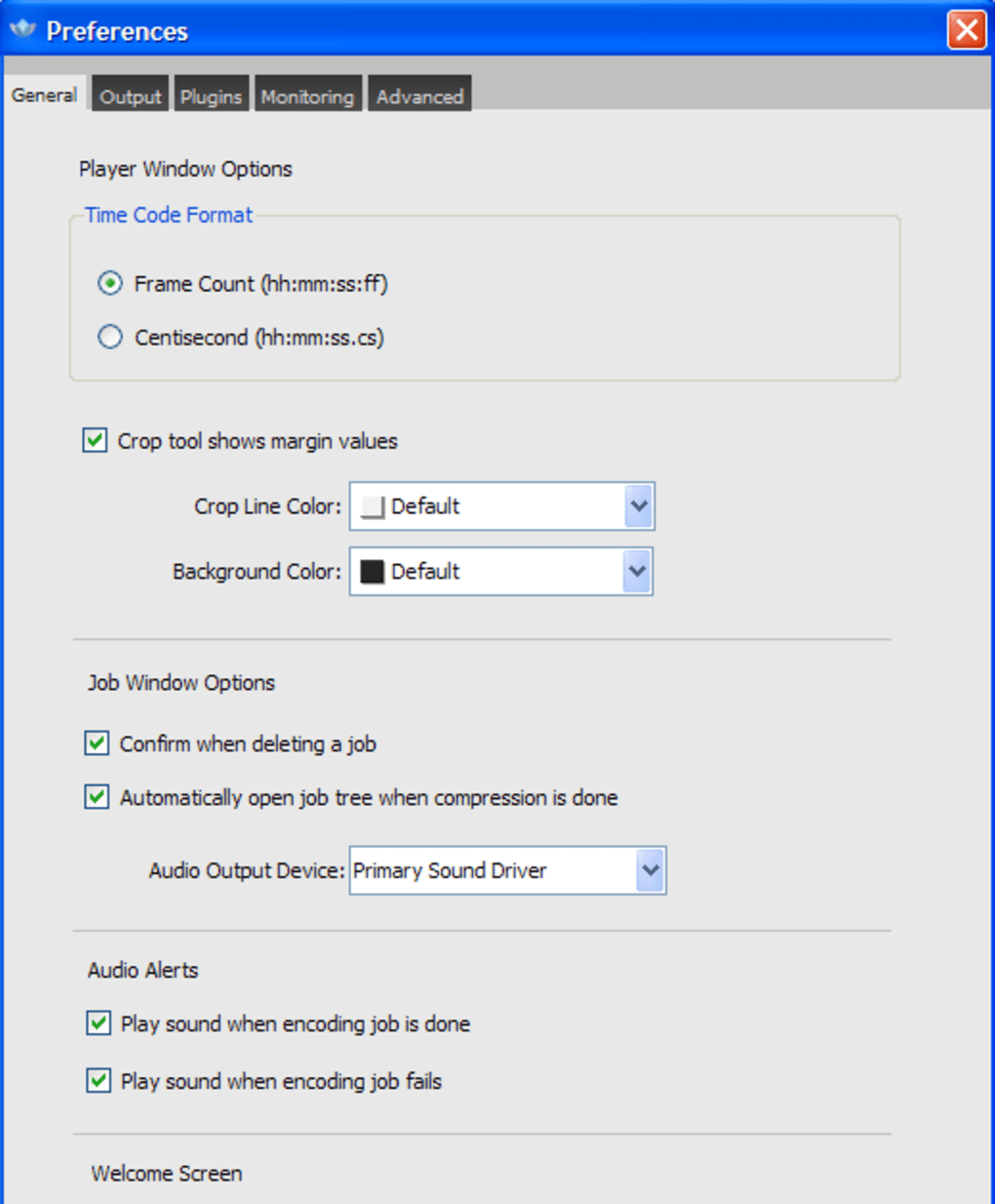
When a job finishes, Squeeze 6 can send an email, SMS, or push notification to any address you configure in the preferences panel. The message includes a secure link to the encoded file for instant review.
Can I encode videos for YouTube Live streaming?
Yes. There is a dedicated YouTube Live preset that configures the correct resolution, bitrate, and keyframe interval required for low‑latency streaming.
Does Sorenson Squeeze support batch processing?
Batch processing is possible via the command‑line interface or by queuing multiple jobs in the UI. You can also use the Preset Exchange to import a list of encoding recipes for large‑scale workflows.
Conclusion & Call to Action
In a landscape where video is king, the ability to compress, preview, and publish content quickly can make the difference between a viral hit and a missed opportunity. Sorenson Squeeze delivers a mature, feature‑rich environment that caters to both indie creators and enterprise‑level post‑production houses. Its extensive preset library, one‑click publishing, and secure review workflow streamline the entire delivery chain, while GPU acceleration and advanced filters ensure that quality never suffers. The drawbacks—limited documentation and a higher price tag—are real, but they are outweighed for professionals who value speed, reliability, and integrated CDN services.
If you’re ready to eliminate the bottlenecks of manual bitrate calculation and endless file‑transfer headaches, download Sorenson Squeeze today. Take advantage of the 30‑day free trial, test the presets for your target devices, and experience the seamless workflow that has kept video producers productive for over a decade. Don’t let large files slow you down—let Sorenson Squeeze do the heavy lifting so you can focus on creating compelling stories.







